[Time Tracking], [Timetracker]
Timetracker continues to evolve with new features designed to make time tracking more powerful, more flexible, and easier to manage. Our latest updates focus on giving teams better structure, richer data, and clearer insights, all while keeping everyday time logging simple.
From customizable worklogs to smarter team organisation and a completely renewed reporting experience, there’s a lot to explore.
🏷️ Worklog Attributes: Add More Context to Every Entry
We’re introducing Worklog Attributes, a new way to capture the extra details that matter when logging time.
Instead of relying only on hours and comments, you can now add structured custom fields directly to worklogs, helping teams create more meaningful and actionable time data.
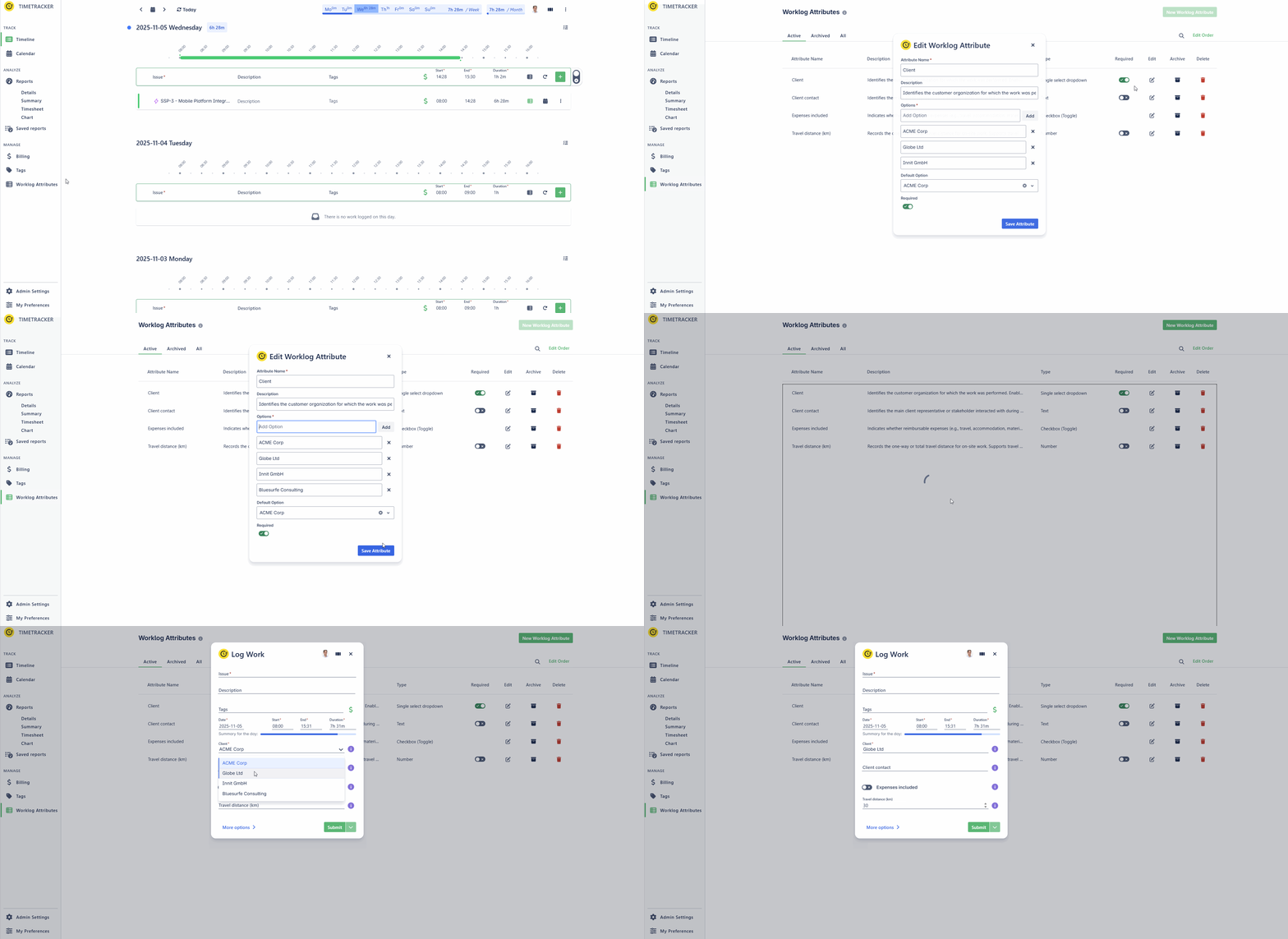
Highlights
- Create custom fields such as dropdowns, checkboxes, number fields, or text inputs.
- Capture business-specific details like clients, engagement types, travel distance, billable hours, or overtime reasons.
- Improve reporting by using attributes in filters, groupings, and report views such as Timesheet and Details reports.
- Keep data entry organized by arranging attributes in the preferred order for Log Work and Edit Work screens.
👉 Read more in our full blog post about Worklog Attributes.
👥 Teams in Timetracker: Organize Work the Way You Actually Work
We’re introducing Teams in Timetracker — a new way to structure users around how your business actually works, rather than only around Jira projects.
Whether you organize by department, client account, delivery unit, or another internal structure, Teams gives you more flexibility in managing people and analyzing work across the organization.
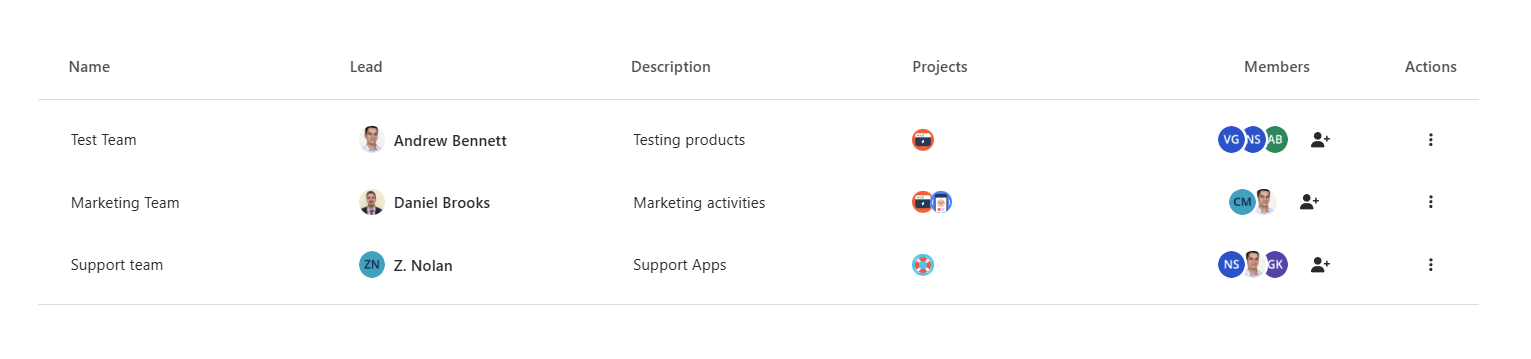
Key Features:
-
Create teams that fit your business and assign Team Leaders to manage memberships.
-
Reliable historical reporting with every worklog connected to the team selected when time was logged.
-
Simpler time logging with automatic team selection for single-team users and easy selection for users in multiple teams.
-
Better reporting and analysis by using Teams as a filter or grouping option, similar to Tags and Attributes.
Teams make it easier to understand where time is spent, how work is shared, and how different groups contribute across your business.
📊 New Summary Report: One View, Deeper Insights
We’ve introduced a brand-new Summary Report that brings the previous Summary and Chart reports together in one improved reporting experience.
Logged time can now be explored in a clear hierarchical table, with totals automatically shown at every level — from high-level initiatives down to individual issues.
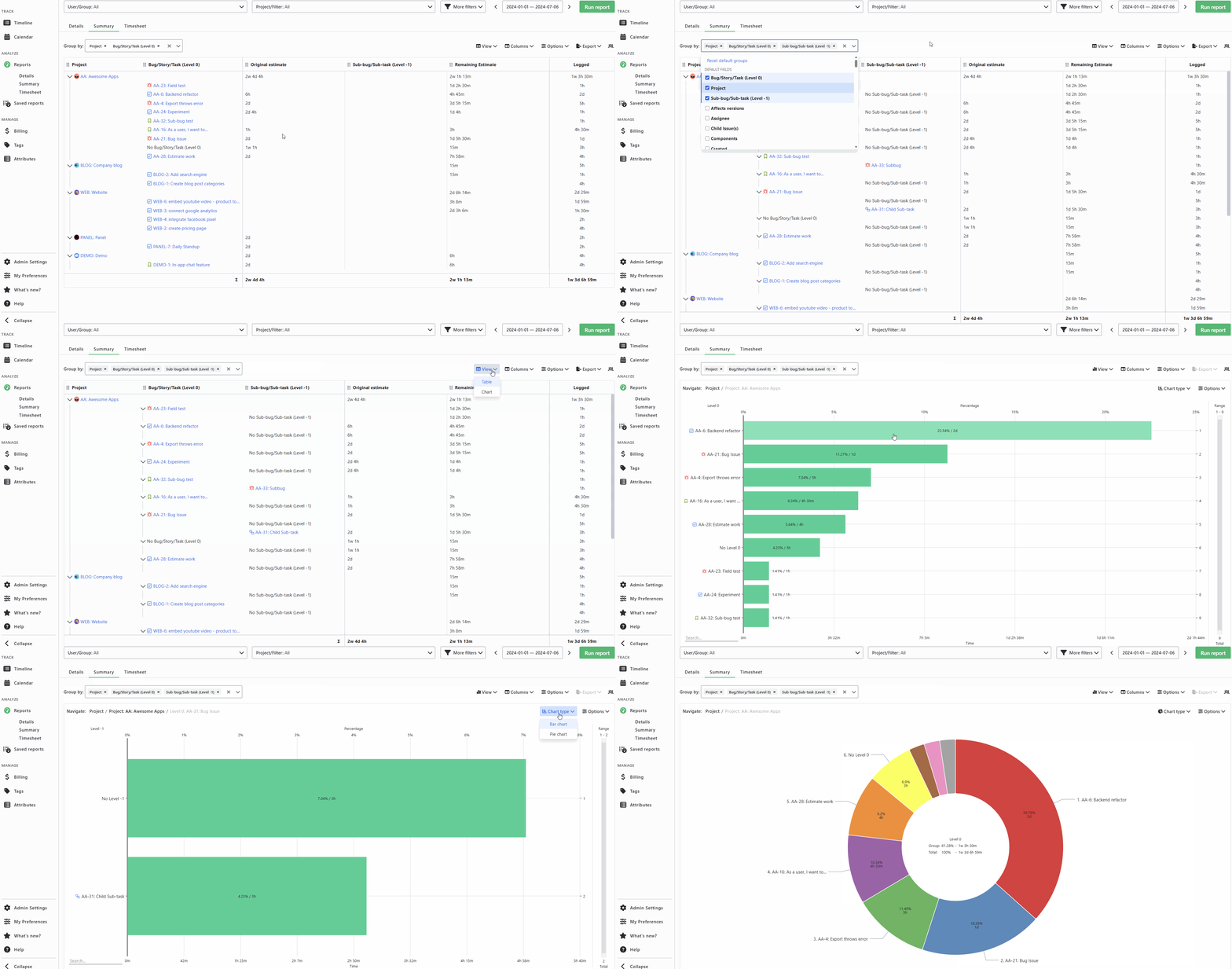
With the new Summary Report, you can:
- Build reporting hierarchies using Jira entities, system fields, or custom fields
- Add extra columns based on your reporting needs
- View rolled-up totals at each level
- Use renewed Pie and Bar charts generated from your hierarchy
- Drill down into charts interactively to analyze data at any level
It combines structured reporting and visual insights in one place — making analysis faster, clearer, and more flexible.
✅ Fillchecker Also Received a Major Update
Timetracker’s companion app Fillchecker has also received a major new version.
Fillchecker helps teams keep timesheets complete and accurate with compliance reports, automated reminders, overtime tracking, flexible work schedules, holiday management, and secure permission controls — all fully integrated with Timetracker.
Conclusion: Time Tracking That Works Better
Timetracker helps solve the common challenges of time tracking: missing or inconsistent data, manual processes, limited reporting, and lack of visibility across teams and projects.
With Worklog Attributes, Teams, and the new Summary Report, businesses can capture structured and accurate time data, assign work clearly across teams, and turn logged hours into clear reports that support planning, billing, resource management, and better business decisions.
The result: less admin work, better transparency, and smarter decisions